Office IT infrastructure dismantling is the controlled removal of enterprise technology assets during office closures, branch exits, IT refreshes, lab shutdowns, server room changes or data-centre decommissioning. It matters because the assets being removed may carry data risk, recovery value, battery-waste handling needs, e-waste recycling requirements and closure-reporting expectations.
What office IT infrastructure dismantling means
Office IT infrastructure dismantling refers to the planned removal, segregation, packing, documentation and routing of technology assets from an enterprise site.
It is different from general office clearance.
A normal office removal project may focus on furniture, fixtures, partitions, papers, packaging and other non-IT material. IT infrastructure dismantling focuses on technology assets such as desktops, laptops, monitors, servers, storage systems, networking equipment, UPS systems, batteries, racks, cables, access devices, printers, scanners and related electronic equipment.
These assets cannot be treated as ordinary material because they may contain data, reusable components, recoverable value, battery waste and recyclable material streams.
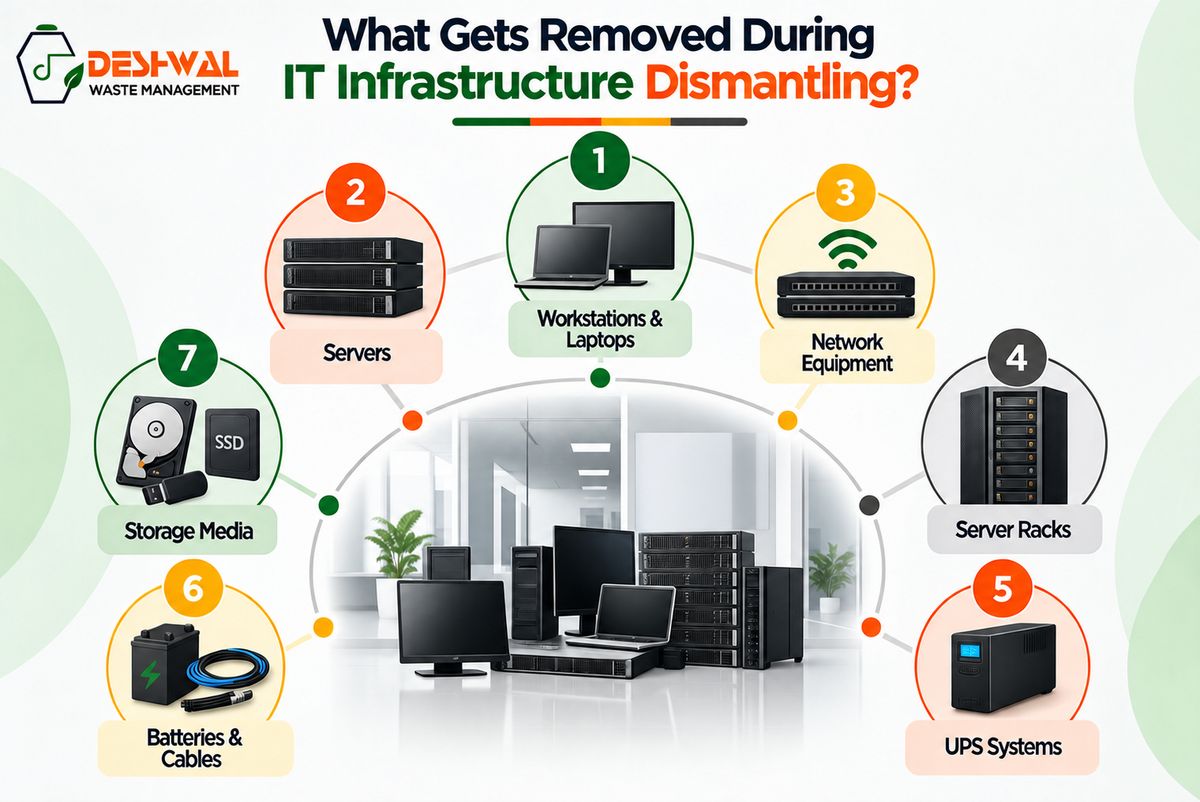
For example, a server room shutdown may include racks, switches, routers, firewalls, servers, storage devices, UPS units, cables and backup media. A branch closure may include employee devices, monitors, printers, access-control hardware and network equipment. A data-centre decommissioning project may involve larger volumes of data-bearing assets and infrastructure that need careful removal, tracking and routing.
That is why office and IT-infrastructure dismantling should be planned as part of the wider IT asset retirement process, not treated as a simple clean-up activity.
When enterprises need dismantling support
Enterprises usually need dismantling support when an office, branch, lab, warehouse, IT store, server room or data-centre space is being closed, shifted, upgraded or consolidated.
This may happen during business relocation, office downsizing, merger integration, branch exits, IT refreshes, facility upgrades, equipment replacement, data-centre migration or end-of-lease handover.
In these situations, teams often need to remove a mixed set of assets. Some assets may be reusable. Some may need buyback or asset recovery. Some may require data sanitisation or physical data destruction. Some may need e-waste recycling. Some may include lithium-ion or lead-acid battery waste. Some may need to be separated from general office material before the site can be handed over.
The challenge is not only physical removal.
The enterprise also needs to know what was removed, where it went, whether data risk was addressed, which assets were recovered, which assets were recycled and what evidence exists after closure.
This is where dismantling connects directly with ITAD and e-waste recycling.
Why IT dismantling is different from ordinary office removal
IT dismantling is different because the assets being removed are not only physical objects. They are part of the enterprise technology estate.
A desk can be removed as furniture. A laptop cannot be handled with the same logic.
A chair may have resale value. A server may have resale value, data risk, storage media, configuration information and recycling obligations.
A cabinet may be cleared as office material. A UPS system may include lead-acid battery waste that needs careful handling and documentation.
A monitor may look like simple electronic waste, but it still needs to be routed through the correct e-waste recycling process.
This is why enterprises should avoid mixing IT assets with general scrap or ordinary removal material. Once assets are mixed, it becomes harder to track them, reconcile them, protect data, recover value or create closure records.
A better approach separates technology assets early.
The dismantling plan should identify what is being removed, which assets may contain data, which items need special handling, which assets may have recovery value and which material streams need recycling or reporting.
What assets are usually involved
Enterprise dismantling projects can involve both loose IT assets and fixed infrastructure.
Workstations and user devices
This may include laptops, desktops, all-in-one systems, monitors, docking stations, keyboards, mice, adapters, chargers, printers, scanners, tablets, mobile devices and user accessories.
Some of these assets may still have recovery value. Others may be suitable for repair, refurbishment, redeployment or parts recovery once data risk has been addressed.
Server rooms and network infrastructure
Server room dismantling may include servers, storage systems, switches, routers, firewalls, patch panels, racks, backup devices, access-control equipment, CCTV-related hardware, telecom equipment and other IT infrastructure.
These assets should be recorded carefully because they may contain data, configuration settings, credentials or recoverable components.
UPS systems, batteries and cabling
Many dismantling projects include UPS systems, backup power units, lithium-ion batteries, lead-acid battery waste, cables, power distribution units and related electrical or IT infrastructure.
Battery-related streams should not be treated as ordinary mixed scrap. Enterprises should consider documented battery recycling routes where relevant.
Data-bearing assets
Data-bearing assets may include laptops, desktops, servers, hard drives, SSDs, storage arrays, backup media, mobile devices, printers with storage components and certain networking devices.
These assets should be identified before they move into recovery, reuse, refurbishment, recycling or disposal.
Key risks during office and IT-infrastructure dismantling
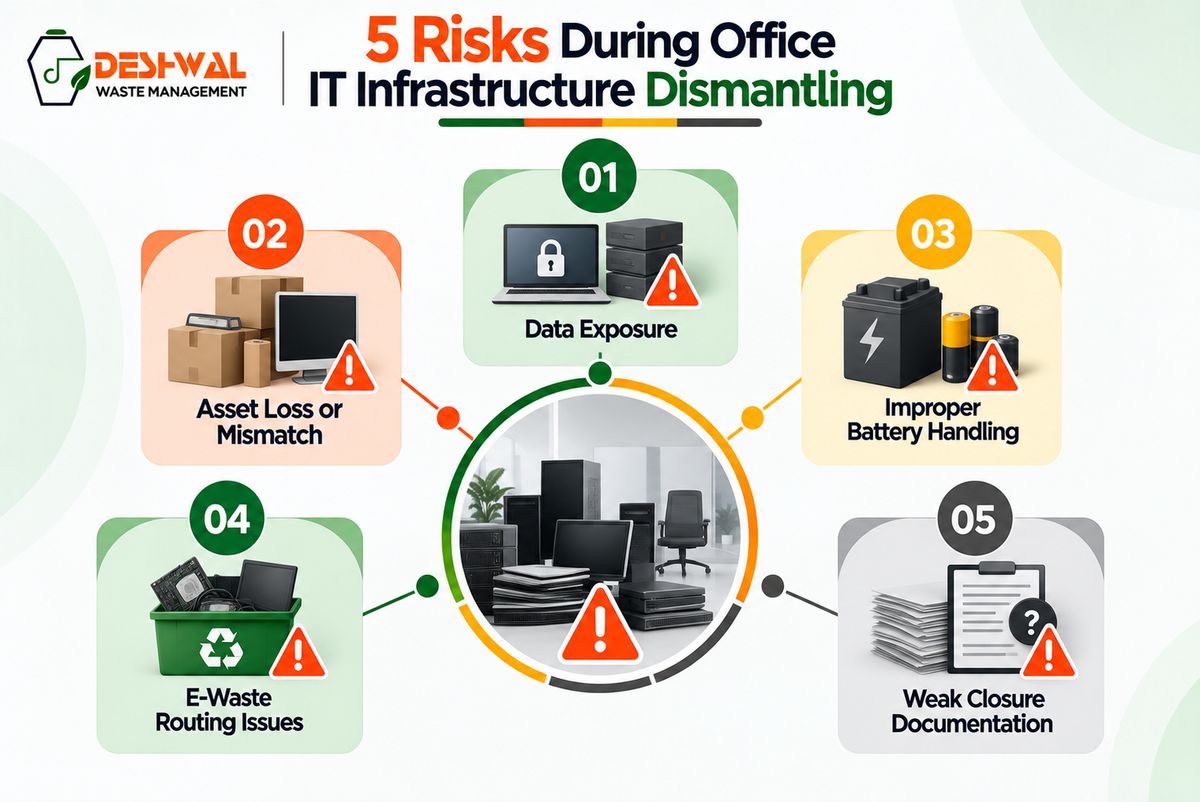
A dismantling project can look simple from the outside. But for enterprises, several risks can appear if the process is not planned properly.
Data risk
The most serious risk is data exposure.
A laptop may still contain employee or customer information. A server may contain business records. A storage drive may still hold recoverable data even if the device is old or damaged. A printer or networking device may also store information or configuration details.
Data-bearing assets should move through data sanitisation or physical data destruction before they are reused, resold, refurbished, recycled or disposed of.
Asset loss or mismatch
Large dismantling projects can involve hundreds or thousands of assets across multiple floors, rooms, branches or facilities.
Without proper inventory and reconciliation, assets may be missed, duplicated, mismatched or recorded incorrectly. Serial numbers may not match. Drives may be missing. Devices may be damaged. Extra equipment may appear during dismantling.
A stronger process records these exceptions instead of hiding them in a batch summary.
Battery and e-waste handling
Office and IT-infrastructure dismantling can generate multiple e-waste streams.
This may include lithium-ion batteries, lead-acid battery waste, PCBs, cables, metals, screens, casings and plastic fractions recovered from e-waste.
For plastic waste, the wording should remain specific: plastic fractions recovered from e-waste. The article should not claim PET recycling or general plastic-waste processing.
Weak closure documentation
A basic dismantling project may end when the site is cleared.
For enterprises, that is not enough.
The organisation may need records that show what was removed, where it went, whether data was handled, what value was recovered, what was recycled and what closure documentation exists.
How enterprises should plan a dismantling project
A strong dismantling project should begin with asset visibility.
Before removal begins, the enterprise should identify the site, scope, asset categories, high-risk equipment, data-bearing assets, battery-related streams, recovery-value opportunities, recycling requirements and documentation needs.
The project plan should cover physical removal, site access, floor-wise or room-wise asset mapping, packaging, movement control, exception handling, safety coordination and handover timelines.
For office closures or branch exits, this planning helps separate IT assets from furniture and general scrap.
For server room dismantling, it helps identify servers, storage systems, network equipment, racks, UPS systems, cables and backup media.
For data-centre decommissioning, it helps connect physical dismantling with ITAD, data destruction, asset recovery, reverse logistics, recycling and closure reporting.
The goal is to avoid last-minute disposal decisions.
When dismantling is planned early, enterprises can reduce asset loss, improve recovery value, protect data and create better closure records.
Where reverse logistics fits into dismantling
Reverse logistics is the movement of retired or removed assets from the enterprise site into a controlled processing route.
In dismantling projects, reverse logistics begins at the site itself.
Assets may need to be sorted, packed, labelled, moved from floors or server rooms, loaded, transported, received, reconciled and routed for data destruction, recovery, recycling or closure.
This matters because the risk does not end when assets leave the building.
A pickup receipt may show that material was collected. But enterprises may still need custody records, receiving confirmation, mismatch notes, damaged-asset records and final route documentation.
For multi-location enterprises, reverse logistics becomes even more important. A branch-exit project may include assets from multiple cities. A national IT refresh may involve offices, warehouses, IT stores and remote employees. A data-centre migration may involve sensitive hardware moving through multiple handoffs.
A controlled reverse-logistics process helps ensure that the asset trail does not break during movement.
How dismantling connects with ITAD and e-waste recycling
Office IT infrastructure dismantling is often the starting point for ITAD and e-waste recycling.
Once assets are removed, they need a route.
Some assets may be bought back. Some may be repaired or refurbished. Some may be redeployed. Some may be harvested for parts. Some may be recycled. Some may require physical destruction because of data sensitivity, damage or internal policy.
This is why dismantling should not be separated from asset disposition.
If assets are removed without inventory, custody, data-risk checks or recycling planning, the enterprise may lose control over what happens next.
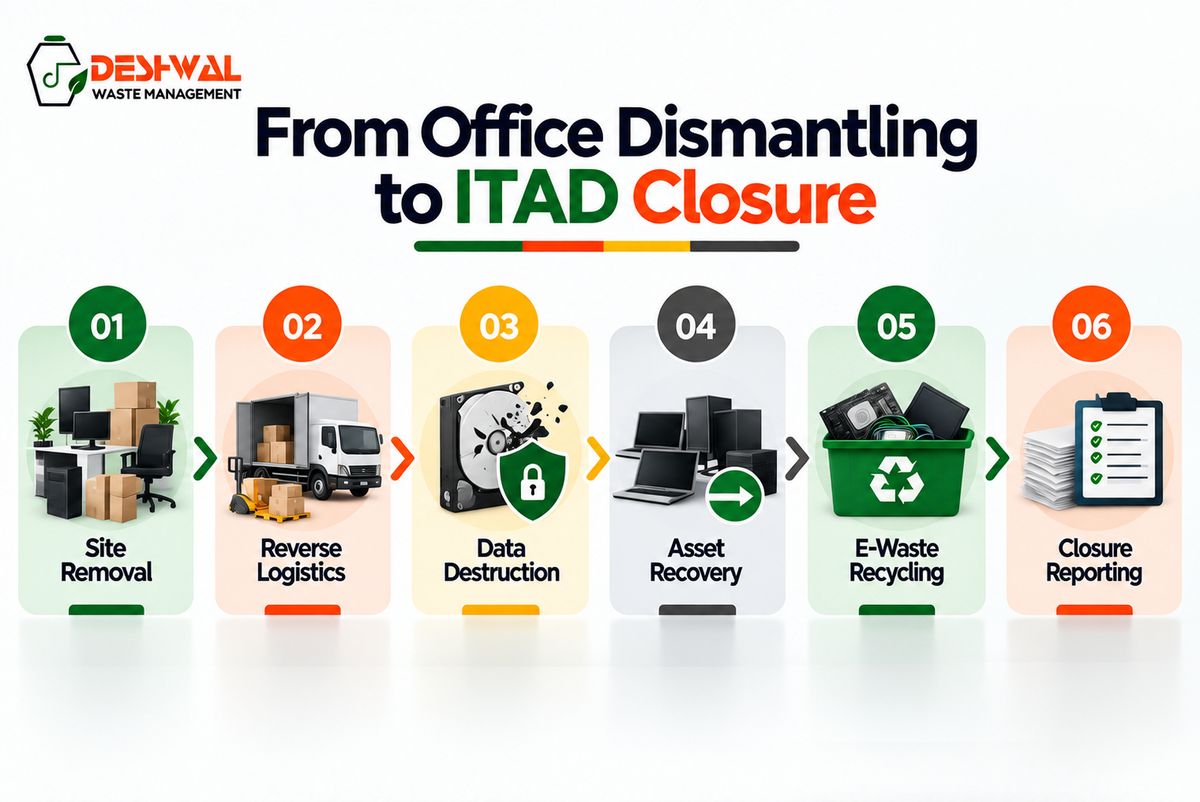
A more mature approach connects dismantling with:
Asset inventory
Data-bearing asset identification
Data sanitisation or destruction
Buyback and asset recovery
Repair or refurbishment coordination
E-waste recycling
Battery waste handling
Closure reporting
Where repair, refurbishment or second-life activity is part of the project, OXYPC and Renew Circuits should be positioned as supporting repair, refurbishment and second-life channels. The main dismantling, ITAD, recycling and reporting context should remain with Deshwal.
This keeps the process clear: dismantling removes the assets, ITAD controls the route, and recycling closes what cannot be recovered or reused.
Where Deshwal fits in enterprise dismantling projects
Deshwal’s role is strongest where office and IT-infrastructure dismantling connects with the return side of the asset lifecycle.
This includes office and IT-infrastructure dismantling, reverse logistics, ITAD, data sanitisation, data destruction, buyback, asset recovery, refurbishment coordination, e-waste recycling and disposal services, lithium-ion and lead-acid battery waste handling, plastic fractions recovered from e-waste, EPR support and compliance reporting.
For enterprises, this matters because dismantling is not only a facilities task.
Facilities teams need site clearance.
IT teams need asset visibility.
Security teams need data-risk closure.
Procurement teams need accountable execution.
Finance teams need recovery-value reconciliation.
ESG and compliance teams need records that support internal review, EPR-related documentation, BRSR inputs for relevant listed entities and closure reporting.
The goal is not just to remove old equipment from a site.
The goal is to close the site, asset and recycling record with evidence.
To discuss enterprise office dismantling, IT infrastructure removal and documentation-led closure, contact Deshwal.
FAQs
What is office IT infrastructure dismantling?
Office IT infrastructure dismantling is the planned removal, segregation, packing and routing of enterprise technology assets during office closures, branch exits, IT refreshes, lab shutdowns, server room changes or data-centre decommissioning projects.
How is IT infrastructure dismantling different from office clearance?
Office clearance may focus on furniture and general material. IT infrastructure dismantling focuses on technology assets that may contain data, recovery value, batteries, e-waste streams and documentation requirements.
What assets are included in IT infrastructure dismantling?
Assets may include laptops, desktops, monitors, servers, storage systems, networking devices, racks, UPS systems, batteries, cables, printers, scanners, access devices and other IT infrastructure.
Why is data destruction important during dismantling?
Data destruction is important because removed IT assets may still contain business data, customer records, employee information, credentials or configuration details. Data-bearing assets should be identified and handled before reuse, resale, recycling or disposal.
Does office dismantling include e-waste recycling?
It can connect with e-waste recycling when removed assets cannot be reused, repaired, refurbished or recovered. These assets should move into documented recycling or material recovery routes.
What documents should enterprises maintain after dismantling?
Enterprises may need asset inventory, pickup records, custody records, receiving confirmation, data sanitisation or destruction evidence, recovery summaries, recycling records, battery-waste records and closure reports.